
Showing posts with label Microsoft Word 2000. Show all posts
Showing posts with label Microsoft Word 2000. Show all posts
23.4.12

30.1.12
How to Close a file (New / Old = Document/File)?
At first open MS Program or Save file work => click File > click Close.
Note: If you not save your file works. Showing a command box (Do you want to save you made "document/your choose file name"). If you press Yes = Save your file work. If you press No = Not save your file work. If you press Cancel = Yes and No work Cancel.
Note: If you not save your file works. Showing a command box (Do you want to save you made "document/your choose file name"). If you press Yes = Save your file work. If you press No = Not save your file work. If you press Cancel = Yes and No work Cancel.

23.1.12
Microsoft Word 2000

Logo Microsoft Word 2000

We can do MS Word 2000 type to quickly insert text, graphics, tables, or other items in a blank area of a document.
22.1.12
How to open MS Word Program?
Four way Open MS-Word 2000:

(1) Start Button (Programs List or Icon display)
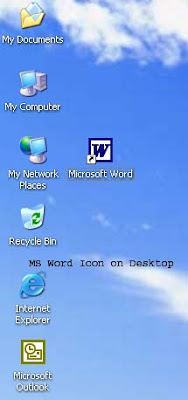
(2) Desktop Icon (Program Icon must display)

(3) Shortcut Bar (Program Icon must display)
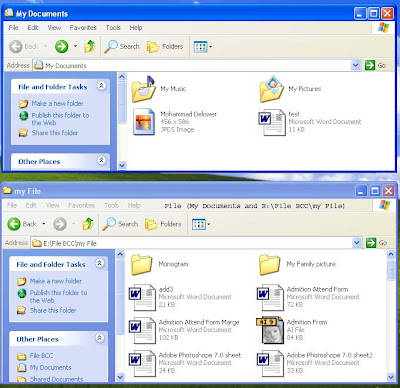
(4) File (Any where word file).
21.1.12
Introduce MS Word Window and Describe Title Bar, Menu Bar, Standard Bar, Formatting Bar.

Ms Word Window has Title Bar, Menu Bar, Standard Bar, Formatting Bar, Ruler, Document/File Page, Text Boundaries, Scrollbar, Drawing Bar, Status Bar.


19.1.12

Discribe New... in File Menu
How to create in New....(New Document/File)?
1. Menu Use = Click File > Click New... > Click Ok.
2. Standard Bar Use = Click New Icon on Standard bar.
3. Keyboard Use = Ctrl + N
1. Menu Use = Click File > Click New... > Click Ok.
2. Standard Bar Use = Click New Icon on Standard bar.
3. Keyboard Use = Ctrl + N


Subscribe to:
Posts (Atom)